

Crack Packs, Pass Left, Build a Deck
Drafting on ManyTCG got a full rebuild. The pick screen is faster, your pool sorts itself the way you think, and the deck builder takes you from a pile of picks to a saved deck without leaving the page.
This guide walks through a complete draft, from setting up the table to saving your deck.
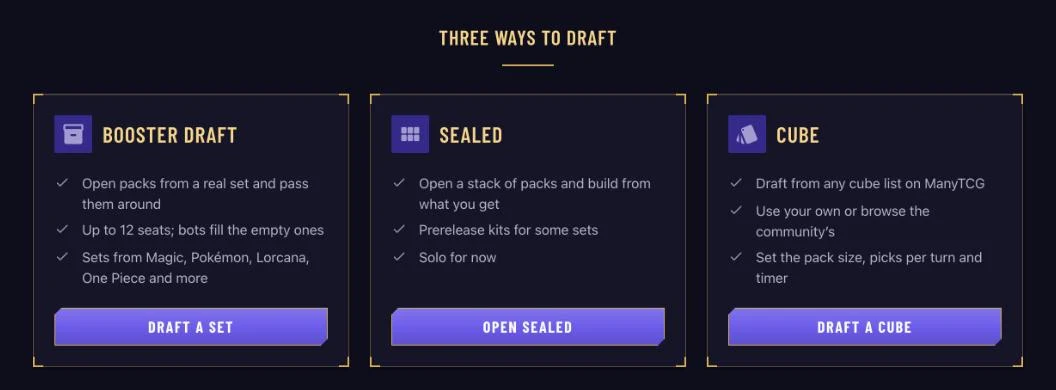
Three Ways to Draft
Head to the Draft page and choose how you want to play:
- Booster Draft: the classic. Open a pack, take a card, pass the rest. Up to 12 seats, and bots fill any that are empty.
- Sealed: open six packs and build from everything inside. Some sets come with prerelease kits.
- Cube: draft from any cube list on ManyTCG, with your own pack size, picks per turn and timer.
Set drafts are available for Magic: The Gathering, Flesh and Blood, Lorcana, One Piece, Pokémon and Star Wars: Unlimited. Cubes can be built from any deck list on the site.
Set Up Your Table
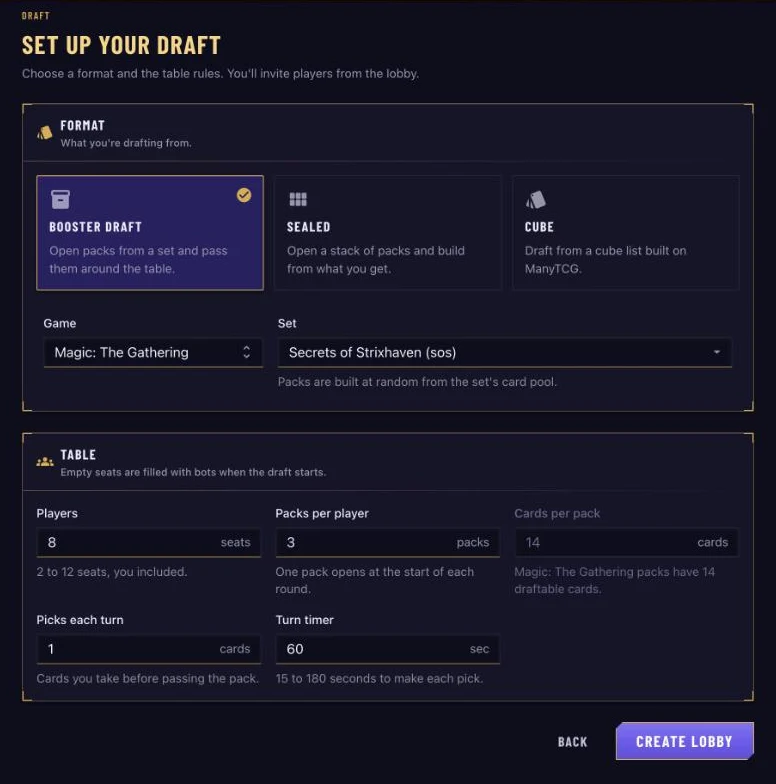
Click Start Drafting and you'll land on Set up your draft. For a booster draft, pick a Game and search for a Set, then set up the table:
| Setting | Default | What it does |
|---|---|---|
| Players | 8 | Seats at the table (2–12). Empty seats go to bots. |
| Packs per player | 3 | One round per pack. |
| Cards per pack | The set's size | Fixed for set drafts (14 for Magic); adjustable for cubes. |
| Picks each turn | 1 | Take up to 6 cards from each pack before passing. |
| Turn timer | 60 sec | 15 to 180 seconds. Run out and a card is picked for you. |
When it looks right, click Create Lobby.
The Lobby
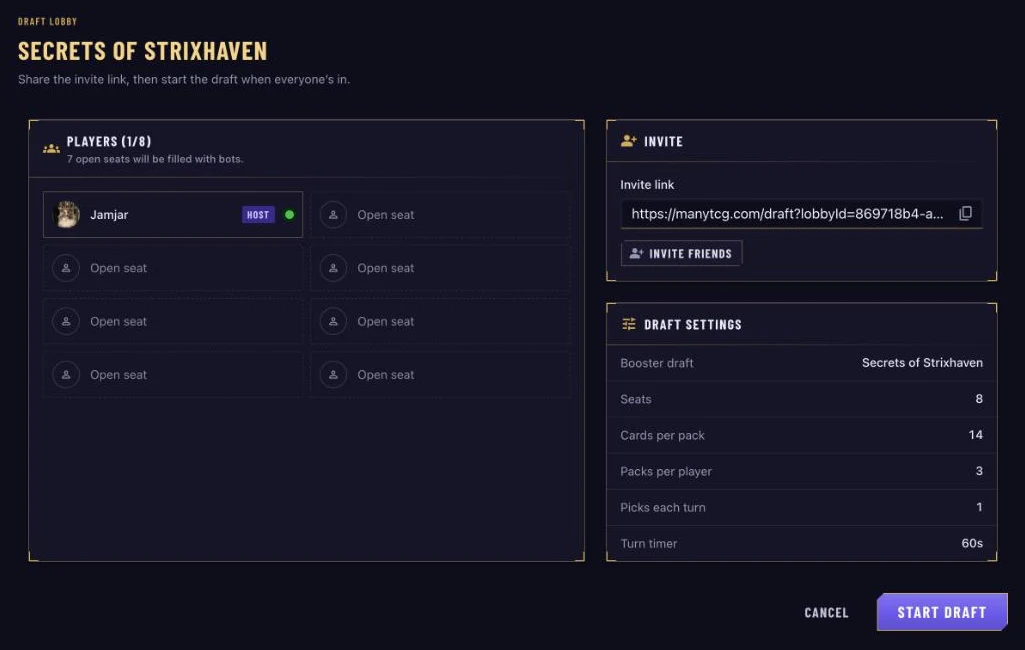
The lobby shows who's seated and the settings you chose. To bring friends along, copy the Invite link (on a phone, Share link opens your share sheet), or click Invite friends to invite players you follow (or who follow you) straight from the list.
Short on players? No problem. Open seats are filled with bots when you click Start Draft, so you can draft solo any time.
Pick and Pass
Every player opens a pack, and the table bar along the top keeps you oriented: Pack 1 of 3 · Pick 5 of 14, the clock, and each seat in passing order, with who passes to you and who you pass to.
To take a card:
- Click a card to highlight it (hover or focus any card to see it large in the preview).
- Press Pick, or hit Enter.
In a hurry? Double-click a card to pick it immediately. Keyboard drafters can move with the arrow keys, highlight with Space and pick with Enter.
If the timer runs out, the card you highlighted is picked for you. If you haven't highlighted one, you get the first card in the pack. Either way the draft keeps moving.
When a new pack starts, a banner tells you which way you're passing. If you're waiting on a slow neighbor, you'll see who's still picking from your next pack.
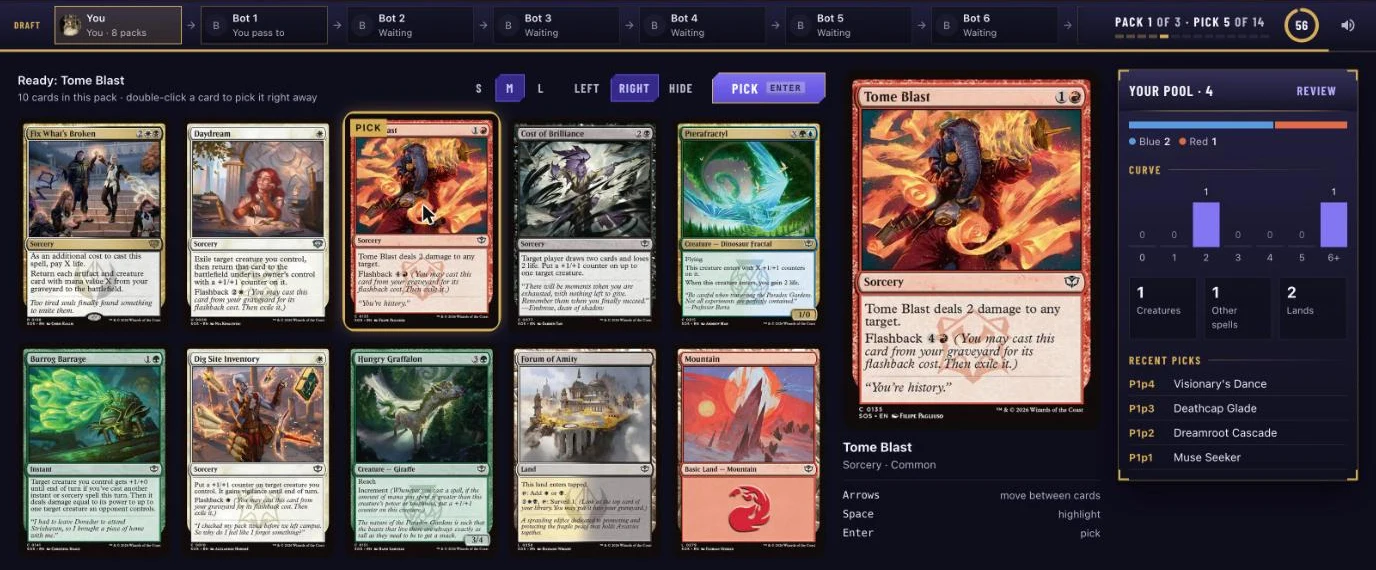
Make it yours: switch cards between S, M and L sizes, and dock the preview and pool panels on the Left or Right, or hide them.
Your Pool, Sorted the Way You Think
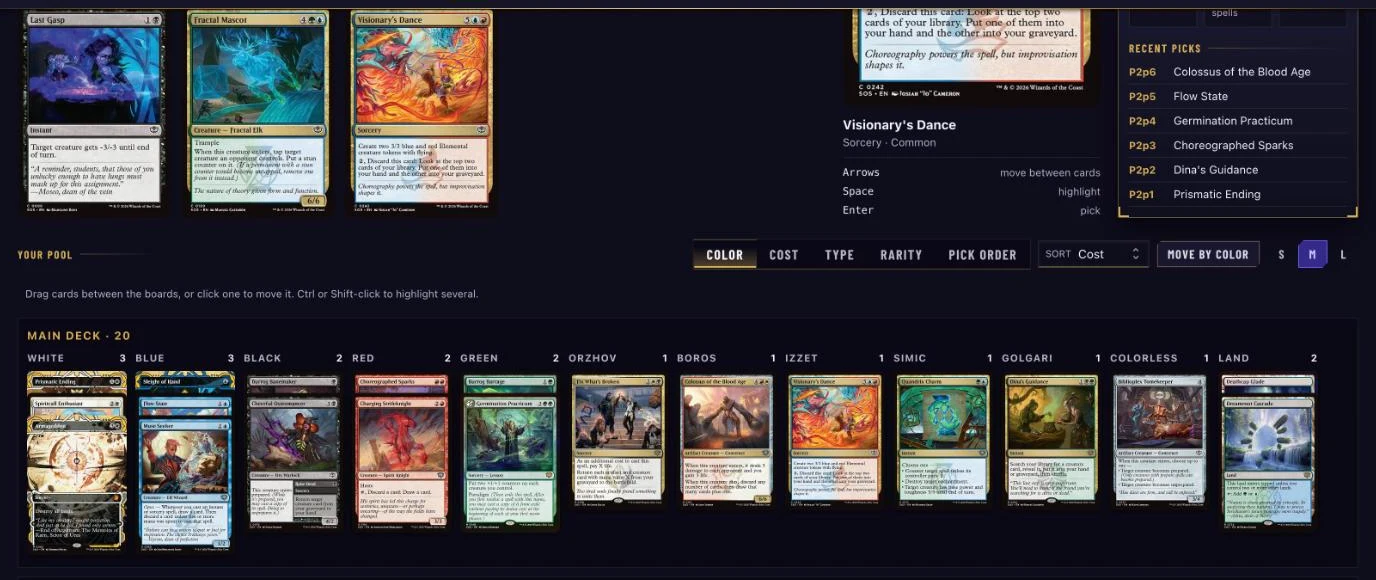
Your picks build up beside the pack: a live mana curve and your Recent picks, labelled by when you took them (P2p4 = pack 2, pick 4). Click Review to open the whole pool, then group it by Color, Cost, Type, Rarity or Pick order and sort within each group.
Seeing your colors stack up while you draft helps you spot what's open and commit at the right time.
Build Your Deck
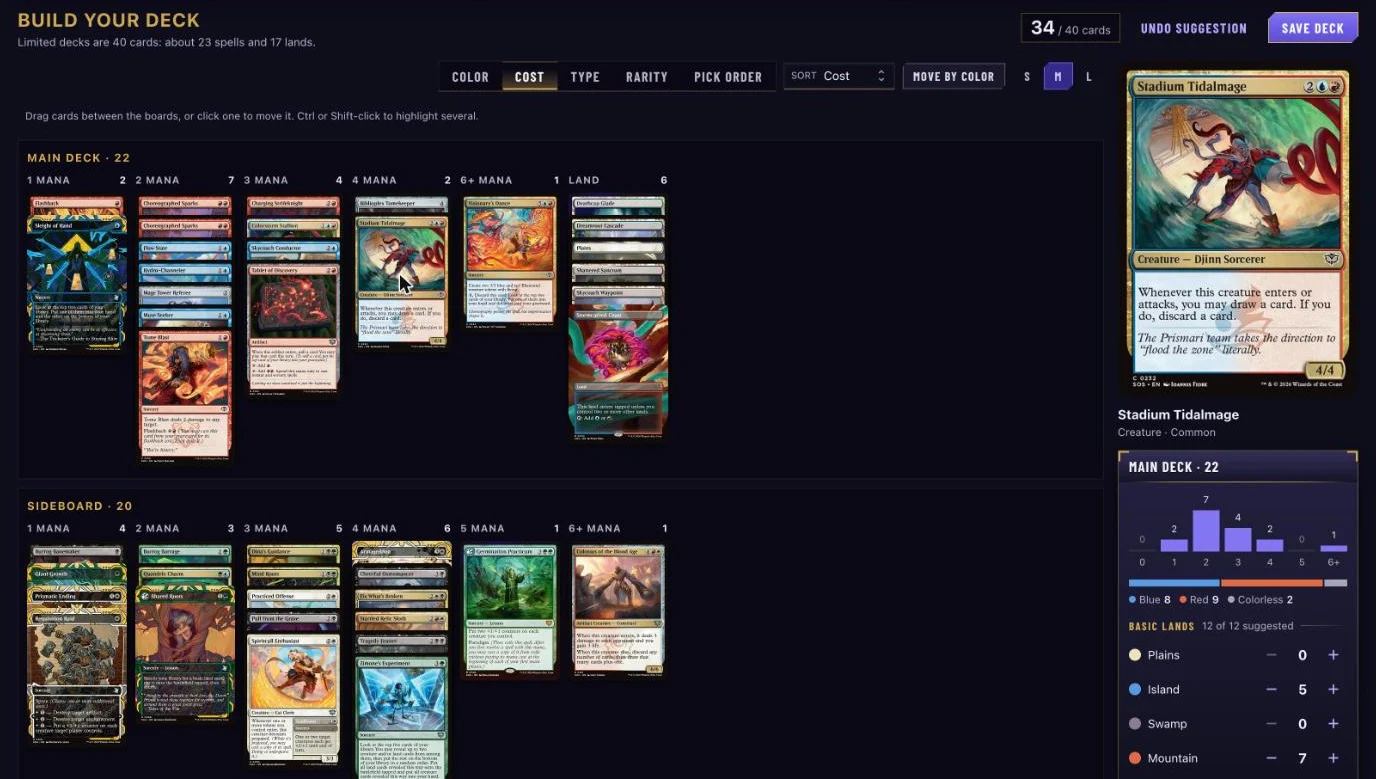
When the last pack is picked, the screen becomes the deck builder. Limited decks are 40 cards, roughly 23 spells and 17 lands, and a counter tracks your progress.
- Drag cards between Main deck and Sideboard, or click a card to send it across.
- Ctrl or Shift-click to highlight several cards and move them together.
- Move by color sends every card of a color to the sideboard (or back) in one go.
- In Magic drafts, Suggest a build keeps your two deepest colors as a starting point. Don't like it? Undo suggestion.
Basic lands are suggested for you, split by the colors in your main deck, and they update as you build. Adjust them with the steppers, and Use suggested puts the suggestion back. Pokémon drafts get an Energy panel, and One Piece drafts get a DON!! panel.
Save It and Play
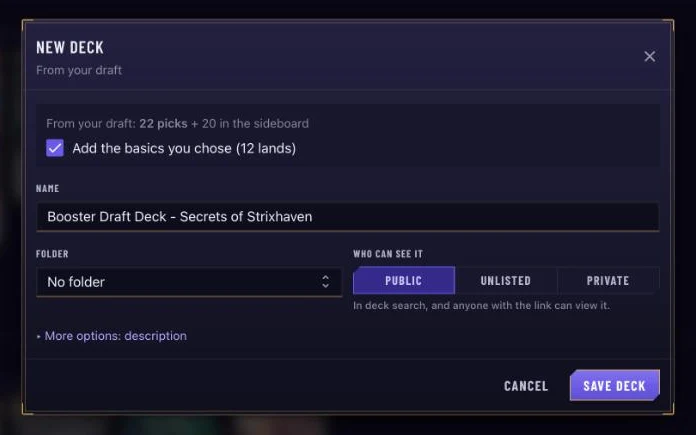
Happy with the build? Click Save deck. Name it, choose who can see it, and keep the basics you picked. One click later you're on your new deck's page, ready to tweak, share or jump straight into a playtest.
A Few Handy Extras
- Draft recap: when the draft ends, look back at your first pick, every pick in order, and the colors each seat took. Your neighbor's colors tell you what they cut off, and what they passed was open for you.
- Refresh-proof solo drafts: reload mid-draft against bots and you'll pick up right where you left off. A finished draft brings your picks back too.
- Phones welcome: tap to highlight, tap again to see a card up close, and build your deck with tabs for Main, Side and Lands.
That's drafting on ManyTCG. Grab some friends (or some bots) and crack a few packs. Got feedback or ideas? We'd love to hear them. Every suggestion helps make drafting better.
Happy drafting, and may your pulls be legendary! 🌟
The ManyTCG Team